logo

How a Unified Design System Improved Speed and Quality


Client's

Location

Dubai

Role

Design system Designer

Year

March - 2025

Client's

Location

Dubai

Role

Design system Designer

Year

March - 2025

Overview

This case study highlights my experience improving design systems for previous clients. My focus was on cleaning UI libraries, fixing inconsistent patterns, and creating a shared structure that designers and developers could rely on. I led the structure of tokens, components, and guidelines to bring clarity and consistency across the product.

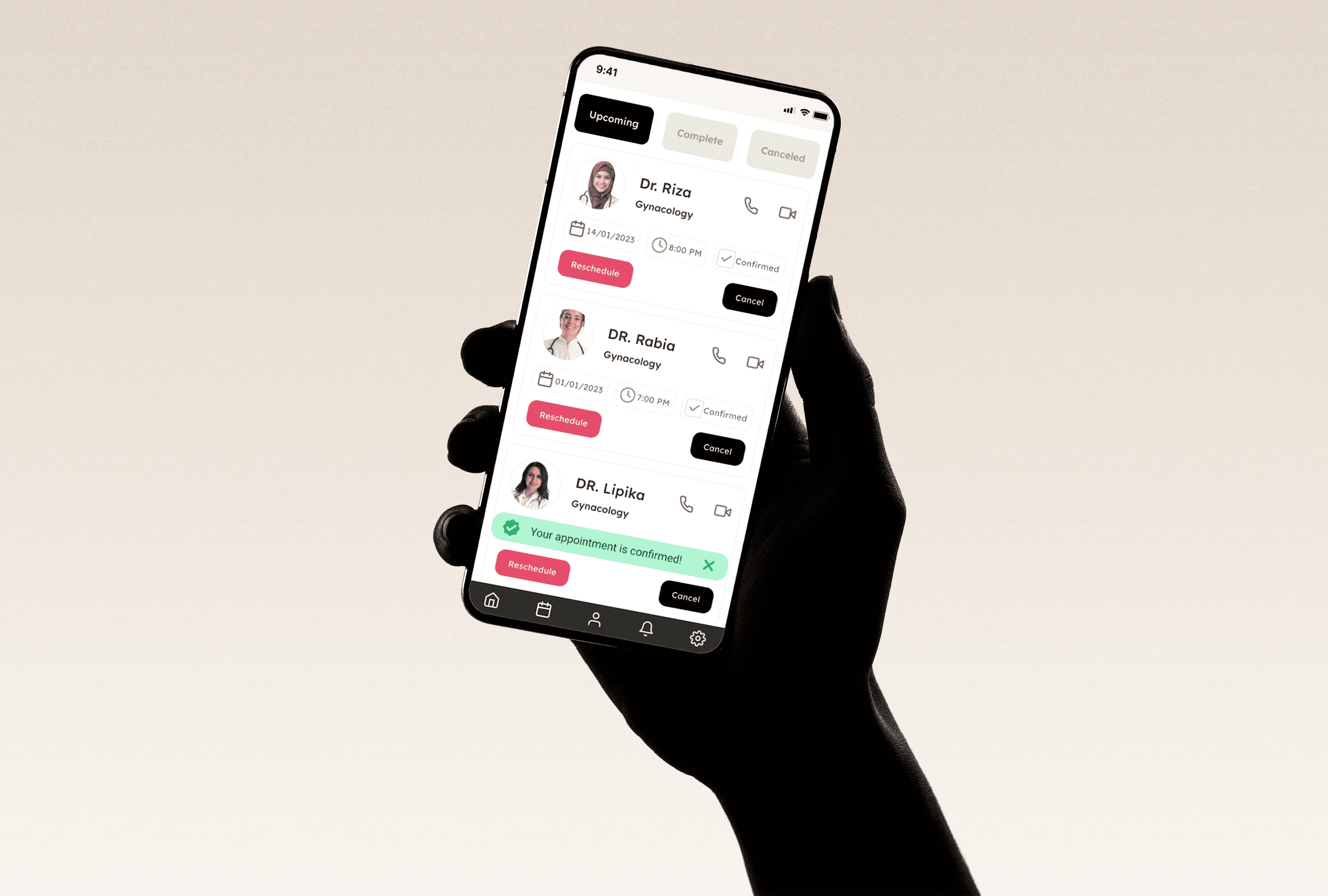
By building tokens and components from a single source, the team stopped recreating buttons, toasts, and cards from scratch — saving significant time and reducing UI drift.

Problem

When multiple designers work without a shared system, patterns fall apart.
Across projects, I noticed:

  • Messy file structures and inconsistent UI patterns

  • Rebuilding of the same components again and again

  • No single place to understand behavior, states, or usage

  • Naming confusion and Auto Layout issues that slowed designers and engineers.

  • Difficulty scaling tokens and components

These issues caused rework, slow handoff, and a fragmented experience.

Title

Title

Title

Supporting text

Supporting text

Supporting text

Title

Title

Title

Supporting text

Supporting text

Supporting text

Title

Title

Title

Supporting text

Supporting text

Supporting text

Title

Title

Title

Supporting text

Supporting text

Supporting text

Title

Title

Title

Supporting text

Supporting text

Supporting text

Title

Title

Title

Supporting text

Supporting text

Supporting text

Title

Title

Title

Supporting text

Supporting text

Supporting text

Title

Title

Title

Supporting text

Supporting text

Supporting text

Title

Title

Title

Supporting text

Supporting text

Supporting text

Title

Title

Title

Supporting text

Supporting text

Supporting text

Title

Title

Title

Supporting text

Supporting text

Supporting text

Title

Title

Title

Supporting text

Supporting text

Supporting text

Title

Title

Title

Supporting text

Supporting text

Supporting text

Title

Title

Title

Supporting text

Supporting text

Supporting text

1

1

1

2

2

2

3

3

3

4

4

4

5

5

5

6

6

6

1

1

1

2

2

2

3

3

3

4

4

4

5

5

5

6

6

6

1

1

1

2

2

2

3

3

3

4

4

4

5

5

5

6

6

6

Label

Label

Label

Label

Label

Label

Label

Label

Label

Label

Label

Label

Label

Label

Label

Label

Label

Label

Label

Label

Label

Label

Label

Label

Label

Label

Label

Label

Label

Label

Label

Label

Label

Label

Label

Label

Label

Label

Label

Label

Label

Label

Label

Label

Label

Label

Label

Label

Label

Label

Label

Label

Label

Label

Label

Label

Label

Label

Label

Label

Label

Label

Label

Label

Label

Label

Label

Label

Label

Label

Label

Label

Label

Label

Label

Label

Label

Label

Label

Label

Label

Label

Label

Label

Label

Label

Label

Label

Label

Label

Label

Label

Label

Label

Label

Label

Label

Label

Label

Label

Label

Label

Label

Label

Label

Label

Label

Label

Label

Label

Label

Label

Label

Label

Label

Label

Label

Label

Label

Label

Label

Label

Label

Label

Label

Label

Label

Label

Label

Label

Label

Label

Label

Label

Label

Label

Label

Label

Label

Label

Label

Label

Label

Label

Label

Label

Label

Label

Label

Label

Label

Label

Label

Label

Label

Label

Label

Label

Label

Label

Label

Label

Label

Label

Label

Label

Label

Label

Label

Label

Label

Label

Label

Label

Label

Label

Label

Label

Label

Label

Select

Select

Select

Option 1

Option 1

Option 1

Option 2

Option 2

Option 2

Option 3

Option 3

Option 3

Option 4

Option 4

Option 4

Select

Select

Select

Option 1

Option 1

Option 1

Option 2

Option 2

Option 2

Option 3

Option 3

Option 3

Option 4

Option 4

Option 4

Scope of Work

I led the restructuring of the design system:

  • Built foundational tokens

  • Standardized naming patterns

  • Organized components into variants

  • Documented usage rules and behavior

  • Educated teammates on system adoption

I owned the architecture, cleanup, documentation, and rollout.

Design System Strategy

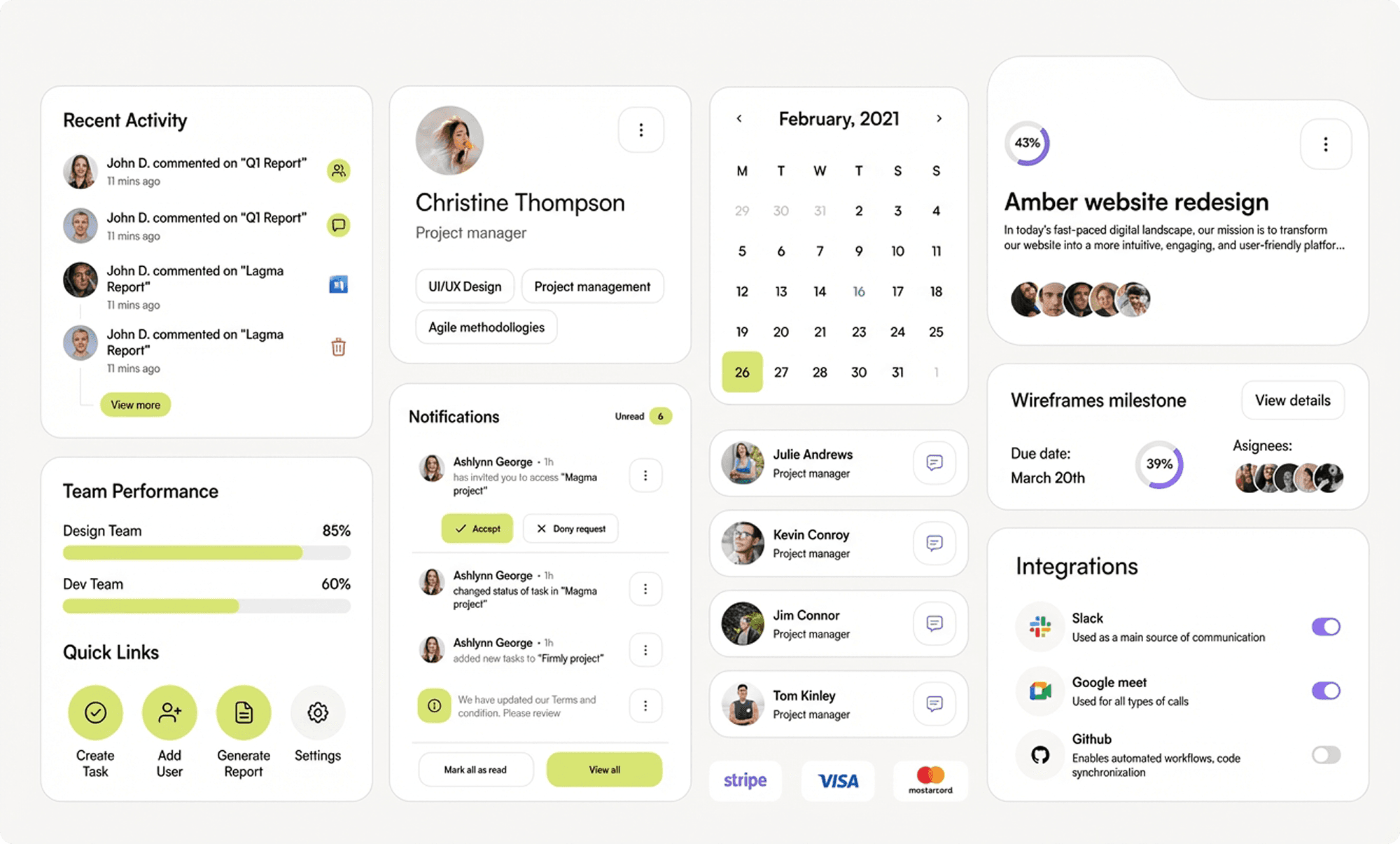
To fix the inconsistency and speed up decision-making, I created a complete, Figma-based design system that included:

  • Foundations, tokens, usage patterns, and components

  • A token model aligned with how developers think about variables

  • Do’s/don’s guidelines and examples directly next to components

  • A public library shared across projects for consistent updates

  • Component maps to explain complex structures visually

This reduced confusion, standardized behavior, and made UI updates much simpler.
Token System

I built the system starting with primitives — colors, typography, radius, padding — before moving to semantic and component tokens.
Patterns included:

  • Color names like purple-500, not raw hex values

  • Consistent lowercase naming ( ✅button, ❌Button )

  • Semantic + alias tokens for scalable theming

  • Component tokens using numeric values for clarity

  • Scoping and token format easy to find token to apply to the components.

This structure gave clarity to both design and engineering teams.

</style>
</head>
<body>
  <div style="max-width:1100px;margin:32px auto;padding:20px">
    <h2 style="margin:0 0 8px 0;font-size:20px">Design tokens — quick preview</h2>
    <p style="margin:0 0 18px 0;color:var(--neutral-700)">Use these token names directly in Figma and map to code variables.</p>

    <div class="frame" role="region" aria-label="tokens preview">
      <!-- Button token card -->
      <div class="panel" aria-labelledby="b1">
        <span id="b1" class="label">Button token</span>
        <div style="margin-bottom:12px">
          <button class="btn" aria-label="Primary action">Primary action</button>
        </div>
        <div style="display:flex;gap:8px;flex-wrap:wrap">
          <span class="mono">{ button / container / padding } → 12px</span>
          <span class="mono">{ button / container / radius } → 10px</span>
          <span class="mono">{ button / text / size } → 14px</span>
        </div>
      </div>

      <!-- Toast token card -->
      <div class="panel" aria-labelledby="t1">
        <span id="t1" class="label">Toast — error subtle</span>
        <div class="toast" style="margin-bottom:10px">
          <svg width="16" height="16" viewBox="0 0 24 24" fill="none" aria-hidden="true"><path d="M12 2v12" stroke="#8B1F1F" stroke-width="2" stroke-linecap="round" stroke-linejoin="round"/><circle cx="12" cy="18" r="1" fill="#8B1F1F"/></svg>
          <div style="font-size:14px">Unable to save appointment — try again.</div>
        </div>
        <div class="mono">{ background / error / subtle / red-100 } → #FFECEC</div>
      </div>

      <!-- Text token card -->
      <div class="panel" aria-labelledby="txt1">
        <span id="txt1" class="label">Text — disabled</span>
        <div style="margin-bottom:10px">
          <div class="text-disabled">Disabled label example</div>
        </div>

Foundations → Tokens → Components → Guidelines → Documentation

Foundations → Tokens → Components → Guidelines → Documentation

Components

Components included full-state variants: default, hover, pressed, focus, disabled.
To improve decision-making:

  • Introduced each states and usage for better design decisions ( hover states for mouse users )

  • I added icons and text labels inside property controls

  • Reorganized property order (edit fields at top, booleans in middle, nested items at bottom)

  • Consistent naming for nested components for text labels, containers for better communication

  • Created component maps for complex structures

This made components faster to use, easier to understand, and more reliable for handoff.

Impact & Credibility

The updated system resulted in:

  • 40–60% reduction in duplicate components

  • Faster screen creation (designers saved 20–30 minutes per screen)

  • Clearer handoff with fewer developer questions

  • Consistency across all product screens

  • Faster onboarding for new designers and engineers

The system established one shared language for design, development, and marketing.

Before

Designers recreated components repeatedly, leading to inconsistent styles.

  • New teammates struggled to navigate the Figma file, and design–dev communication was unclear.

  • Scaling features and maintaining UI quality became challenging over time.

After

Clear usage instructions helped designers understand where and when to use each component.

  • Guidelines improved decision-making and sped up the design process.

  • Designers and developers aligned on one system, producing more consistent and higher-quality UI.

Consistency

  • 75% fewer inconsistent UI patterns

  • 60% reduction in duplicate components

Speed

  • 30–40% faster screen creation

  • 2× faster onboarding for new designers

Handoff & Collaboration

  • 40% fewer design-to-dev questions

  • 100% alignment on tokens & components

Scalability

  • 60% quicker library updates

  • Reduced UI debt across multiple products

Summary

A strong foundation of tokens, components, and naming patterns made the entire UI feel unified and easier to scale. The library helped every team — designers, developers, and new contributors — work faster and maintain a consistent product experience.
This case study reflects how I build and improve design systems with clarity, ownership, and long-term reliability in mind.

Have a project in mind? Let’s talk.

Have a project in mind? Let’s talk.

Have a project in mind? Let’s talk.

Create a free website with Framer, the website builder loved by startups, designers and agencies.